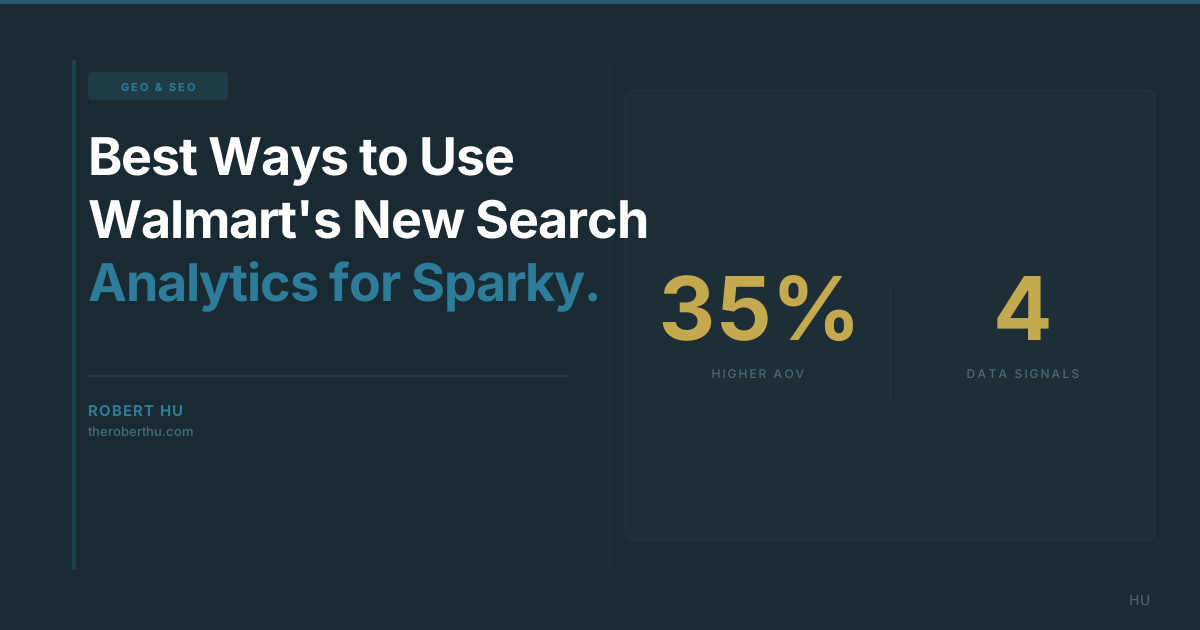
Walmart rolled out search analytics that give sellers keyword-level data on impressions, clicks, cart adds, and purchases. Most sellers are treating this like Amazon Brand Analytics: tracking which keywords drive sales and adjusting PPC bids accordingly.
That's useful, but it's not the best use of this data. The real play is using Walmart's search analytics to reverse-engineer what Sparky sees when it evaluates your listing. Every gap in your keyword performance is a gap in your AI visibility.
Key Takeaways
- Keyword-level data now available in Walmart Seller Center: impressions, clicks, cart adds, purchases, and competitor rankings for every search query showing your product.
- High impressions + low clicks means your title doesn't match what shoppers (or Sparky) expect for that query. This is the most actionable signal in the report.
- 92% of sellers will use this data only for PPC optimization. The best sellers will use it to find and fix the gaps between what shoppers search for and what their listings actually say.
- Search query data + GEO framework gives you a direct map of where your listings fall short for AI-powered recommendations.
What Does Walmart's Search Analytics Actually Show?
Walmart's Search Query Performance report is available in Seller Center under the Analytics tab. Here's what you get:
- Impressions: How many times your product appeared in search results for a specific keyword. This tells you which queries Walmart's algorithm (and Sparky) associate with your listing.
- Clicks: How many shoppers clicked through to your product page from that keyword. The click-through rate reveals whether your title, image, and price match what the shopper expected when they searched.
- Add-to-carts: How many shoppers added your product to cart after viewing it. This measures whether your product page content convinced them.
- Purchases: How many of those cart adds converted to sales. The gap between cart adds and purchases reveals friction in pricing, shipping, or trust signals.
- Competitor rankings: Which competitors rank above and below you for each keyword. This shows you exactly who is winning the queries you're targeting.
Most sellers look at this data and ask "which keywords should I bid on?" That's the PPC question. The better question is: "what is this data telling me about how Walmart's AI evaluates my listing?"
Newsletter
Follow the research
Research notes and analysis on how AI, digital transformation, product discovery, and customer behavior are changing commerce.
Subscribe to Hu's Weekly HootHow Are Most Sellers Using This Wrong?
The default approach is straightforward: find keywords with high purchases, increase PPC bids on those keywords, reduce bids on keywords with low conversion. This is fine. It's also what every other seller in your category is doing.
The problem is that PPC optimization is a competitive auction. If you and your competitor both discover the same high-converting keyword and both increase bids, the cost goes up and the advantage disappears. You're optimizing within a system where the rules favor whoever spends more.
Sparky drives 35% higher AOVs and it doesn't run on PPC. It recommends products based on listing content quality, not bid amounts. The search analytics data tells you exactly where your listing content falls short for the queries Sparky is processing. That's the optimization most sellers miss.
Best Way to Read the Data: The Four Patterns
Every keyword in your search report tells a story. Here's how to read it:
Pattern 1: High impressions, low clicks. Your product is showing up for this query, but shoppers aren't clicking. This means your title, main image, or price doesn't match what the shopper expected when they searched that term. If the keyword is "best glass container for meal prep" and your title says "Glass Storage Container Set, BPA-Free, 5-Pack," you're missing the "meal prep" context. Sparky sees the same gap. It can't recommend your product for meal prep queries if your listing doesn't mention meal prep.
Pattern 2: Good clicks, low cart adds. Shoppers are clicking through but not adding to cart. Your title got them to the page, but your bullet points, images, or description didn't close the deal. This usually means your product page content is too generic. It doesn't answer the specific questions that query implies. "Best glass container for meal prep" shoppers want to know: how many compartments, is it microwave-safe, does it seal for transport? If your bullets don't answer those questions, no cart add.
Pattern 3: Cart adds, low purchases. Shoppers are convinced enough to add to cart but abandon before checkout. This is usually a pricing, shipping, or trust issue. Check if competitors on this keyword offer better shipping speeds (WFS badge matters here), lower prices, or more reviews. This pattern is less about listing content and more about operational competitiveness.
Pattern 4: Competitors outranking you. The report shows which competitors rank above you for specific keywords. Click through to their listings and compare. What do their titles say that yours doesn't? What attributes do they include? What use cases do they mention? The answers tell you exactly what Walmart's algorithm (and Sparky) values for that query.
Best Approach: Using Search Data to Find AI Recommendation Gaps
This is where the search analytics and GEO framework converge. The WHO, WHEN, WHERE, and WHY dimensions map directly to the gaps the search data reveals.
Take the "best glass container for meal prep" example. If you have impressions but no clicks, your listing is missing the WHEN (meal prep is a use-case timing signal) and the WHY (the reason someone needs this specific product). Add "meal prep" to your title and "designed for weekly meal prep with leak-proof lids for transport" to your bullets. Now you've closed the gap for both search and Sparky.
Here's the process Robert Hu uses with the brands he works with:
Step 1: Export your Search Query Performance report for the last 30 days.
Step 2: Sort by impressions (highest first). These are the queries Walmart already associates with your product.
Step 3: For every high-impression keyword with a click-through rate below 5%, ask: does my title contain the language this shopper used? If not, that's your first fix.
Step 4: For every keyword with clicks but low cart adds, ask: does my product page answer the questions this keyword implies? Map each keyword against the WHO/WHEN/WHERE/WHY framework to find the missing dimension.
Step 5: For every keyword where a competitor outranks you, read their listing and identify the specific content that makes their listing more relevant for that query.
Best Listing Optimizations Based on What the Data Tells You
Once you've identified the gaps, here are the five highest-impact fixes:
1. Add missing use-case language to your title. If you get impressions on "outdoor picnic plates" but your title says "Bamboo Plate Set, Reusable, 8-Pack," add "outdoor" and "picnic" to the title. This is the single fastest way to improve click-through rates on queries where you already have impressions.
2. Rewrite bullets to answer query-implied questions. Every search query implies a question. "Best protein powder for runners" implies: is it designed for endurance, does it help with recovery, is it easy to digest mid-run? Your bullets should answer those questions directly. Don't list features. Answer the questions behind the keywords where you're losing clicks to cart adds.
3. Complete every backend attribute. Walmart's marketplace crossed 200,000 sellers and the platform is heavily investing in structured data for both search and Sparky. Every empty attribute field is a missed filter opportunity. Material, size, age range, dietary info, compatibility. Fill them all. The search analytics won't directly show you backend attribute gaps, but they surface the symptoms (low rankings on queries your product should match).
4. Add WHO specificity to your A+ content. If the search data shows you're getting impressions from persona-specific queries ("best yoga mat for beginners," "kids art supplies ages 5-7"), your A+ content should explicitly name those personas. Sparky reads A+ content and uses it for personalized recommendations. Generic lifestyle imagery without text gives Sparky nothing to work with.
5. Monitor competitor movements weekly. The competitor ranking data in the search report changes constantly. Set a weekly cadence to check your top 10 keywords. When a competitor moves up, investigate what changed on their listing. When you move down, check if your listing content has become stale relative to the query intent. Listing optimization is not a one-time project. It's an ongoing discipline.
The Bigger Picture
Walmart giving sellers search analytics is not just a reporting upgrade. It's a window into how Walmart's algorithm and Sparky evaluate your listing against every query in your category. The best sellers in 2026 won't treat this as a PPC tool. They'll treat it as a diagnostic for AI readiness.
Every high-impression, low-click keyword is a GEO gap. Every competitor outranking you is a content quality signal. Every cart add that doesn't convert is an operational friction point. The data is now available. The sellers who act on it systematically will pull ahead of the 92% who are still writing listings the old way.